
Module 0 · Lesson 1 of 4 (step 2 of 8) · about 60 minutes
Networking fundamentals for security: how a request reaches an AI hiring tool
Layers, IP addresses and subnets, TCP and UDP, DNS, HTTP and HTTPS, ports, NAT, firewalls and proxies, followed hop by hop as a recruiter's browser calls an AI screening API.
Checks completed: 0 of 4
In this lesson (10 sections)
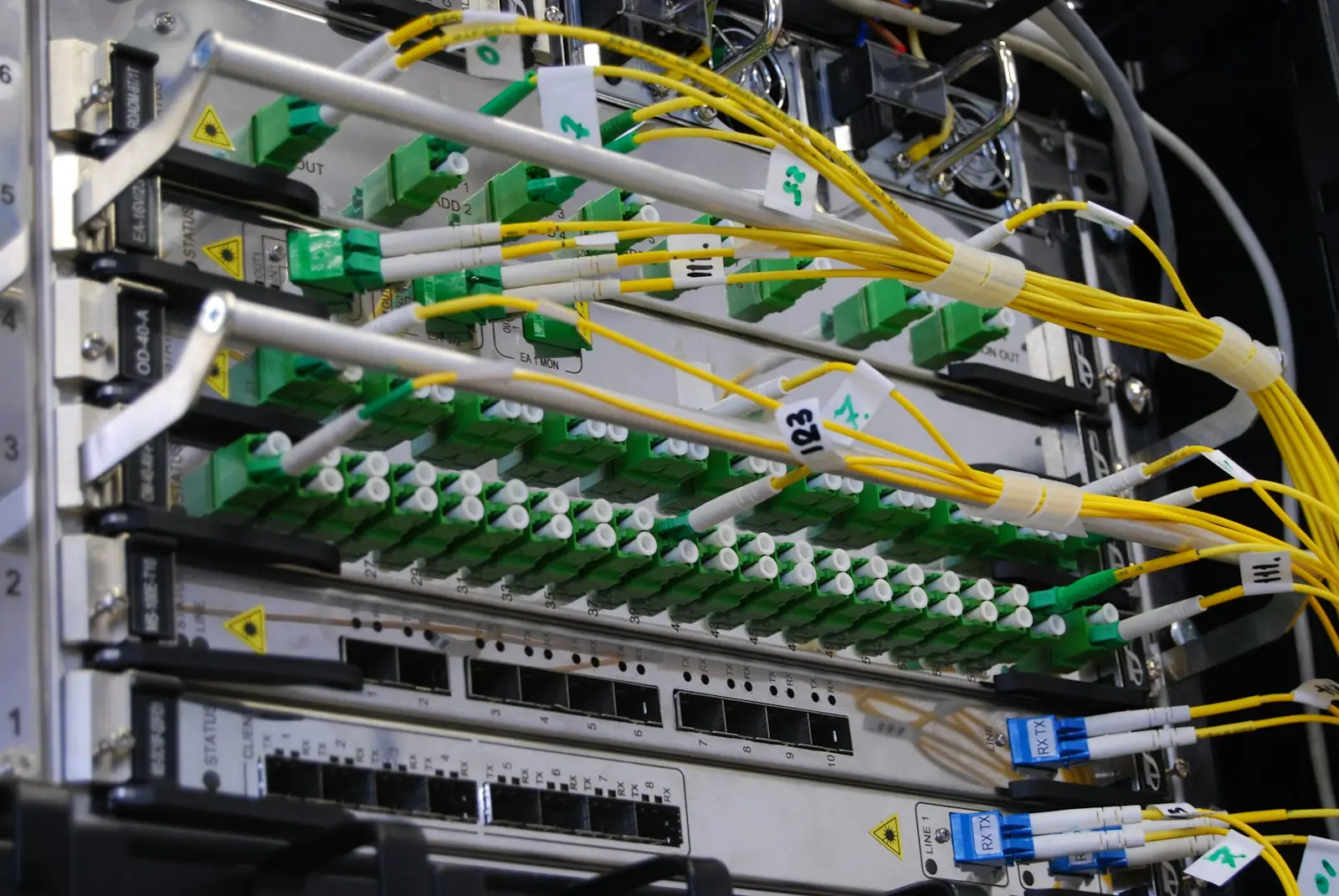
About this module. Module 00 is free and open to everyone. It teaches the networking, operating system and cryptography ideas that the rest of the course takes for granted. If you already work in security, use the self-check in Lesson 04 to decide what to skim. Every lab here is passive: you look at your own traffic, your own files and your own keys. Nothing in this module touches a system you do not own.
Why this matters
Every attack you will study in this course travels over a network. A reaches a large language model () inside an request. A stolen session cookie is replayed inside the same kind of request. A scan in Module 02 is a stream of small network packets. If you cannot picture what happens between a browser and a server, you cannot reason about where an attacker can watch, change or block that traffic, and you cannot judge whether a defense is in the right place.
People systems make this concrete. An applicant tracking system () is the software a company uses to receive applications and move candidates through hiring. A modern ATS often calls an outside service to score résumés or summarize interviews. That call leaves the company's network, crosses the public internet, enters a cloud provider's network and lands on a server run by a vendor. Candidate personal data rides along. Each hop is a place where the data could leak, be altered or be stopped.
This lesson builds a mental model of that journey. You will learn how networks are layered, how machines are addressed, how data is carried reliably or quickly, how names become addresses, how web requests are formed and protected, and which devices sit in the middle. At the end you will trace one request from a recruiter's laptop to an AI scoring and mark every point a security tester would care about.
Core concepts
Layers: why networks are described as a stack
A protocol is an agreed set of rules for how two programs exchange messages. Networking uses many protocols at once, stacked on top of each other. Each one solves one problem and hands the rest to the layer below.
The Internet's own description of this stack is in 1122, Requirements for Internet Hosts: Communication Layers (1989). An RFC (Request for Comments) is a numbered document published by the RFC Editor; many RFCs are Internet standards written through the Internet Engineering Task Force (). RFC 1122 names four layers [1]:
- Application layer: the program's own conversation, such as a web request.
- Transport layer: delivery between two programs on two hosts, such as or .
- Internet layer: moving packets between hosts across many networks, using the Internet Protocol ().
- Link layer: moving bits across one physical or wireless link, such as Ethernet or Wi-Fi.
You will also hear about the model (Open Systems Interconnection), a seven-layer reference model from the International Organization for Standardization () and the International Telecommunication Union (). Its layers are physical, data link, network, transport, session, presentation and application. Security people use OSI numbers as shorthand: "layer 7" means the application, "layer 4" means transport and "layer 3" means IP. (We could not reach the ITU's page for Recommendation X.200 to check its wording, so the OSI description here is marked unverified; the four TCP/IP layers above are verified against RFC 1122.)
The key idea is . Each layer wraps the data from the layer above in its own header, like putting a letter in an envelope, then putting that envelope in a courier bag. The receiver unwraps in reverse order.
Drawing the diagram…
Diagram source
%% alt: Four nested boxes show encapsulation. The innermost box is the application data, an HTTP request. It is wrapped by a TCP header to make a segment, then by an IP header to make a packet, then by an Ethernet header and trailer to make a frame.
flowchart LR
  A["Application data<br/>(HTTP request)"] --> B["TCP header + data<br/>= segment"]
  B --> C["IP header + segment<br/>= packet"]
  C --> D["Ethernet header + packet + trailer<br/>= frame"]
Text description of the diagram: an request is the innermost content. The transport layer adds a TCP header, making a segment. The Internet layer adds an IP header, making a packet. The link layer adds an Ethernet header and trailer, making a frame that goes onto the wire. The receiving host removes the wrappers in reverse order.
Why this matters for security: a control works only on the layers it can see. A that reads IP and TCP headers cannot see a malicious prompt inside an encrypted HTTP body. A tool that reads HTTP bodies cannot stop a flood of packets at the IP layer.
Check your understanding
IP addresses
An IP address identifies a network interface so packets can be routed to it. (Internet Protocol version 4, RFC 791, 1981) uses 32-bit addresses, written as four decimal numbers from 0 to 255, such as 192.0.2.10 [2]. (RFC 8200, 2017) increases the address size "from 32 bits to 128 bits" and writes addresses in hexadecimal groups, such as 2001:db8::10 [3].
Throughout this course we use addresses that are reserved for documentation, so an example can never point at a real machine: 192.0.2.0/24, 198.51.100.0/24 and 203.0.113.0/24 for IPv4 (RFC 5737) [4], and 2001:db8::/32 for IPv6 (RFC 3849) [5].
Some IPv4 ranges are private: any organization may use them inside its own network, and they are not routed on the public internet. RFC 1918 reserves three blocks: 10.0.0.0–10.255.255.255, 172.16.0.0–172.31.255.255 and 192.168.0.0–192.168.255.255 [6]. The loopback block 127.0.0.0/8 always means "this same machine" (RFC 6890) [7].
Each IPv4 header also carries a time to live () field. RFC 791 describes it as "an indication of an upper bound on the lifetime of an internet datagram"; it is set by the sender and reduced at each point along the route where the packet is processed, and the packet is discarded when it reaches zero [2]. TTL stops packets looping forever.
Subnets and CIDR notation
A is a block of consecutive addresses that share a common first part, called the prefix. (Classless Inter-Domain Routing, RFC 4632) writes a block as an address plus a prefix length, such as 192.168.99.0/24: "the most significant 24 bits are ones and the least significant 8 bits are zeros" in the matching mask [8].
Plain-words version: the number after the slash says how many bits at the front are fixed. The rest can vary, and those varying bits are the hosts inside the block.
The size of a block follows directly. If the prefix length is bits, there are free bits, so the block holds
addresses. Here is the number of addresses in the block and is the prefix length. A /24 holds addresses. A /22 holds . In a traditional IPv4 subnet the first address (all host bits zero) names the network and the last (all host bits one) is the broadcast address, so are usable for hosts.
Why this matters for security: subnets are how networks are divided into zones. A good design puts the database in a subnet that only the application servers can reach. A tester's scope in Module 02 is usually written as CIDR blocks, and a single wrong digit in a prefix can put thousands of out-of-scope addresses into a test.
Check your understanding
TCP and UDP
The transport layer gives each conversation a pair of numbers, one at each end, so many programs can share one IP address. Two transport protocols dominate.
TCP (Transmission Control Protocol) gives a reliable, ordered byte stream. Its current specification is RFC 9293 (August 2022), which obsoletes the original RFC 793 [9]. Before data flows, the two sides perform the : the client sends a segment with the (synchronize) flag; the server answers with SYN and (acknowledge); the client sends ACK. RFC 9293 calls this "the procedure used to establish a connection" and lists the states a connection moves through, from LISTEN and SYN-SENT to ESTABLISHED and finally TIME-WAIT [9]. TCP numbers every byte so the receiver can reorder and acknowledge data and the sender can resend what was lost.
UDP (User Datagram Protocol, RFC 768, 1980) sends single messages with "a minimum of protocol mechanism"; "delivery and duplicate protection are not guaranteed" [10]. UDP is used where speed matters more than guaranteed delivery, or where the application adds its own reliability. queries usually use UDP. (RFC 9000, 2021) is "a UDP-based multiplexed and secure transport" that adds reliability and encryption on top of UDP [11], and HTTP/3 runs over QUIC (RFC 9114, 2022) [12].
The handshake matters for security in three ways. A completed handshake proves that the other side could receive packets at the claimed address, so TCP is harder to spoof than UDP. Scanners use the handshake's responses to decide whether a port is open (Module 02). And half-finished handshakes can be used to exhaust a server's connection state, a classic denial-of-service pattern described in RFC 4987, TCP SYN Flooding Attacks and Common Mitigations [26].
Ports
A port is a 16-bit number, so it runs from 0 to 65,535. RFC 6335 divides the space into three ranges: "the System Ports, also known as the Well Known Ports, from 0-1023"; "the User Ports, also known as the Registered Ports, from 1024-49151"; and "the Dynamic Ports, also known as the Private or Ephemeral Ports, from 49152-65535 (never assigned)" [13]. The Internet Assigned Numbers Authority () keeps the registry of which service uses which port.
Well-known examples: HTTP on 80, on 443, DNS on 53, (Secure Shell) on 22. A port number is a convention, not a guarantee. A service can listen on any port, and an attacker's tool can too. A defender who writes "port 443 is safe because it is HTTPS" has confused a label with a property.
Check your understanding
DNS: turning names into addresses
People type names; networks route addresses. The Domain Name System (DNS) is the distributed database that connects them. RFC 1034 describes the concepts and RFC 1035 the implementation (both 1987) [14]. A name such as api.vendor.example is read from right to left: the root, then example, then vendor, then api. Each level can be run by a different organization.
DNS stores resource records. The ones you will meet most are:
- A: an IPv4 address for a name.
- : an IPv6 address for a name.
- : "this name is an alias for that name".
- : the mail servers for a domain.
- : free text, often used to prove domain ownership or publish email security policy.
A resolver is the client-side service that asks the questions on your behalf, usually run by your company or internet provider. It caches answers for as long as each record's TTL allows.
Classic DNS sends questions and answers in plain text, usually over UDP port 53. RFC 1035 limits plain UDP messages to 512 octets [14]. Anyone on the path can read which names you look up, and an attacker who can forge answers can send you to the wrong server. Two later developments address this. (DNS queries over HTTPS, RFC 8484, 2018) sends "DNS queries and getting DNS responses over HTTPS" [15], hiding lookups from the local network. (DNS Security Extensions) adds signatures to records so a resolver can check they were not forged; it is outside this lesson's scope.
For people systems, DNS is often the first thing an outsider sees. TXT and MX records reveal which email and HR software vendors a company uses, a fact that Module 02's reconnaissance lesson uses.
HTTP and HTTPS
HTTP (Hypertext Transfer Protocol) is the application protocol of the web and of nearly every . RFC 9110 (June 2022) defines its meaning ("semantics"), calling it "a stateless application-level protocol" [16]. HTTP/1.1, HTTP/2 and HTTP/3 are different ways of putting the same messages on the wire (RFC 9112, RFC 9113 and RFC 9114) [12][17][18].
A request has a method, a target, header fields and an optional body. For example:
POST /v1/score HTTP/1.1
Host: api.vendor.example
Authorization: Bearer <token>
Content-Type: application/json

{"candidate_id": "c-4821", "resume_text": "..."}
The server answers with a status code (200 OK, 401 Unauthorized, 403 Forbidden, 404 Not Found, 500 Internal Server Error), headers and a body.
Two method properties from RFC 9110 matter in testing. A safe method (GET, HEAD) should not change server state. An idempotent method is one where "the intended effect on the server of multiple identical requests with that method is the same as the effect for a single such request" [16]. PUT and DELETE are idempotent; is not. If an API uses GET to change data, a crawler or a link preview can trigger the change by accident.
"Stateless" means each request stands alone. Applications add state with cookies or tokens, which is why stealing a session cookie or an API token is so valuable (Module 04).
HTTPS is HTTP sent inside (Transport Layer Security), the protocol Lesson 03 explains. TLS gives three things: confidentiality (others on the path cannot read the request), integrity (they cannot change it undetected) and server authentication (the client can check it is talking to the real api.vendor.example). (HTTP Strict Transport Security, RFC 6797) lets a site tell browsers to use only HTTPS for it in future, through the Strict-Transport-Security header and its required max-age directive [19].
NAT
(Network Address Translation) rewrites addresses as packets pass through a router. RFC 3022 describes "Traditional NAT", including (Network Address Port Translation), "a method by which many network addresses and their TCP/UDP ... ports are translated into a single network address and its TCP/UDP ports" [20]. This is how a whole office of private 10.x.x.x laptops shares one public address.
NAT is often mistaken for a firewall. It does hide internal addresses, and by default it gives unsolicited inbound packets nowhere to go. But it was designed to save addresses, not to enforce policy, and it does nothing about traffic that an inside machine starts. that "phones home" walks straight out through NAT.
NAT also matters for logs. The AI vendor sees the company's single public address, not the recruiter's laptop. To find which laptop sent a suspicious request, an investigator needs the NAT device's translation logs, matched by time and source port.
Firewalls and proxies
A firewall is a device or program that allows or blocks traffic according to rules. 800-41 Revision 1, Guidelines on Firewalls and Firewall Policy (September 2009), is the standard U.S. government guide [21]. The main kinds are:
- Packet filters, which decide on each packet by addresses, ports and protocol.
- Stateful firewalls, which track connections, so a reply is allowed because it belongs to a connection the inside started.
- Application-layer firewalls and web application firewalls (), which read the application protocol, such as HTTP, and can block suspicious requests.
The safest rule set is default deny: block everything, then allow only what is needed. This is applied to network paths.
A proxy is a server that makes requests on behalf of clients. A sits in front of users and handles their outbound requests, often for filtering and logging. A sits in front of servers and receives inbound requests, often to balance load, terminate TLS or apply a WAF. A proxy that terminates TLS can read the ; that is useful for inspection and also makes the proxy a high-value target.
When a proxy forwards a request, the server sees the proxy's address instead of the client's. RFC 7239 defines the Forwarded header so proxies can "disclose information lost in the proxying process, for example, the originating IP address" [22]. Many systems use the older, non-standard X-Forwarded-For header for the same purpose. Either header is just text: a client can send a fake one. Trust it only when your own proxy set it.
Check your understanding
Deep dive
What each layer reveals, even with encryption
hides the contents of a request, but not everything. An observer on the path between a recruiter and an vendor can usually still see:
- the source and destination addresses (IP layer);
- the and the timing and size of each packet (transport layer);
- the lookup for the vendor's name, unless or a similar method is used;
- usually the server name: 1.3 clients send it in the
server_nameextension of the ClientHello, which 8446 lists among the extensions clients should send, and the ClientHello is not encrypted [25].
This is : data about the communication rather than its content. In people systems metadata can itself be sensitive. Regular traffic from an to a background-check vendor reveals that a background check is happening. A spike in calls to a video-interview vendor reveals a hiring push. Encryption protects the résumé; it does not hide that a résumé was sent.
Reliability as a probability model
Why does bother with acknowledgments and resends? A simple model helps. Suppose each packet is lost independently with probability . A message split into packets arrives complete, with no resends, with probability
Here is the per-packet loss rate and is the number of packets. With and , that is . Without resends, nearly two in three large uploads would fail. TCP's acknowledgments turn that into near-certain delivery at the . The independence assumption is a simplification, because real losses come in bursts, but it shows why reliability has to be built in.
The same reasoning applies to security logging. If a uses -based syslog and drops 1% of messages, a 100-event attack sequence is very likely to have gaps. Investigators then see a partial story.
Where trust really sits in a request
An request carries many fields that look authoritative but are simply written by the client: Host, User-Agent, Referer, X-Forwarded-For, cookies and the body. None of them is evidence of anything until the server checks it. Only a few properties are established by the network itself: a TCP connection proves that the peer could receive packets at its source address, and a TLS handshake proves the server holds the private key for its certificate (Lesson 03). Everything else is a claim.
This is the network version of the trust-boundary idea from Module 01. Most web vulnerabilities in Module 04 come from treating a claim as a fact.
Worked example
Scenario. A recruiter at a mid-sized company opens the company's in a browser and clicks "Score with " on a candidate. The ATS is a cloud application. When the button is clicked, the ATS back end calls an outside AI scoring vendor's at https://api.vendor.example/v1/score. We will trace both legs.
Drawing the diagram…
Diagram source
%% alt: Sequence of hops. The recruiter laptop on the office Wi-Fi sends a DNS query to the company resolver, then an HTTPS request through the office firewall and NAT to the ATS reverse proxy in the cloud. The ATS application then sends a DNS query, then an HTTPS request through its outbound proxy to the AI vendor's reverse proxy and on to the scoring service.
sequenceDiagram
  participant L as Recruiter laptop (10.20.3.17)
  participant R as Company DNS resolver
  participant F as Office firewall + NAT (203.0.113.5)
  participant A as ATS reverse proxy (198.51.100.20)
  participant S as ATS app server
  participant X as ATS outbound proxy
  participant V as Vendor API (192.0.2.44)
  L->>R: DNS: A record for ats.company.example?
  R-->>L: 198.51.100.20
  L->>F: TCP SYN to 198.51.100.20:443
  F->>A: same, source rewritten to 203.0.113.5
  L->>A: TLS handshake, then POST /candidates/c-4821/score
  A->>S: plain HTTP inside the cloud network
  S->>X: POST https://api.vendor.example/v1/score
  X->>V: TLS to 192.0.2.44:443
  V-->>X: 200 OK, score JSON
  X-->>S: response
  S-->>L: page update via A, F
Text description of the diagram: the recruiter's laptop, at private address 10.20.3.17 on the office network, first asks the company resolver for the ATS's address and gets 198.51.100.20. It then opens a connection to 443 there. The office allows it and rewrites the source to the office's public address 203.0.113.5. The laptop and the ATS's complete a handshake and the laptop sends a request. The reverse proxy passes it to an application server inside the cloud network. The application server sends its own request to the AI vendor through an outbound proxy, gets a score back, and the page is updated.
Step 1: name resolution. The laptop asks the resolver for ats.company.example. Security notes: the lookup is visible on the office network unless is used. If the resolver were tricked into returning a wrong address, the browser would connect to the wrong place, but TLS certificate checking (Lesson 03) would then fail, which is one reason HTTPS matters even inside "trusted" networks.
Step 2: the office edge. The laptop's address 10.20.3.17 is inside 10.20.0.0/22, a private 1918 block. The firewall's stateful rule allows outbound TCP 443. NAT rewrites the source to 203.0.113.5 and a high source port. Security notes: the ATS sees only 203.0.113.5. To tie a request to this laptop later, someone needs the NAT logs.
Step 3: TLS to the ATS. The browser checks the ATS's certificate and sets up keys. Security notes: from here the request body is encrypted on the internet. The reverse proxy terminates TLS, so from the proxy to the app server the request may travel unencrypted inside the cloud network unless the operator re-encrypts it. That internal leg is a common blind spot.
Step 4: the vendor call. The application server sends candidate data to the AI vendor. This is a second, separate HTTPS connection; the recruiter's browser is not involved. Security notes: this is a new . The ATS must authenticate to the vendor (usually a in the Authorization header), must decide exactly which candidate fields to send, and must treat the vendor's response as untrusted input, because a manipulated model output could contain script or misleading text.
Step 5: the response path. The score comes back through the same chain. Security notes: if the ATS caches the score, the cache is now a store of AI-derived personal data, with its own access and retention rules.
What a tester would mark. Six boundaries: laptop to office network, office to internet, internet to ATS proxy, ATS proxy to app server, app server to outbound proxy, outbound proxy to vendor. For each, the questions are: is it encrypted, who can see , who authenticates whom, and what is logged?
Faded example
Now you finish the analysis. A video-interview platform records a candidate on the candidate's own phone over mobile data. The phone uploads the video to https://upload.interviews.example, which is a content delivery network () edge server that then forwards it to the platform's storage. The platform later sends the transcript to an AI summarization API.
We give the first two boundaries; you write the rest.
- Phone to mobile network: the phone has a carrier-assigned address, probably behind the carrier's NAT. The upload is HTTPS, so the content is encrypted; the DNS lookup and the destination are visible to the carrier.
- Mobile network to CDN edge: TLS terminates at the CDN, so the CDN operator can read the video. The platform must trust its CDN contractually and technically.
- CDN edge to platform storage: is this leg encrypted? Who checks the upload size and type?
- Platform to summarization API: which fields are sent? How does the platform authenticate? Where is the response stored?
Write two or three sentences for items 3 and 4 before reading on. A strong answer notes that the CDN-to-origin leg should be HTTPS with origin authentication, that uploads should be validated at the origin and not only at the edge, and that the summarization call should send the transcript without unnecessary identifiers.
Independent problem
A staffing agency runs its candidate database on a server at 10.8.4.20 in 10.8.4.0/24. Its recruiters connect from home through a (virtual private network) that gives each laptop an address in 10.9.0.0/16. An AI matching vendor needs to pull new job descriptions nightly from the agency.
Draw the paths, list each trust boundary, and propose firewall rules in default-deny form: which source blocks may reach which destination address and port. State which rule you would add for the vendor and whether you would rather let the vendor pull or have the agency push. Justify your answer in terms of which side opens connections into which network.
In people systems
Where candidate data travels. A typical hiring stack includes a careers site, an , an assessment platform, a video-interview tool, a background-check vendor and one or more services. Each integration is an call between organizations. Drawing these calls, with the blocks and hostnames involved, is the first step of every audit in Module 14.
and vendor sprawl. Many teams buy AI tools without involving network teams. The result is outbound traffic to new vendors that nobody approved. A default-deny outbound proxy with an allow-list of approved vendor hostnames turns "shadow AI" into a visible request for change.
Logging for fairness and security alike. When an AI score is challenged, the employer may need to show which model version produced it and when. The same request logs that support incident response, with timestamps, request and vendor response codes, also support that audit trail. Plan the logs once for both uses.
on the wire. The cheapest protection for candidate data in transit to an AI vendor is to send less of it. If the model needs skills and experience, it does not need a name, a photo or a home address. Removing fields before the HTTPS call reduces the harm of any later breach at the vendor and the bias risk from identity cues.
Remote assessment integrity. Online assessments sometimes record the test-taker's address to detect proxy test-taking. Because of , and mobile carrier NAT, many unrelated people can share one public address and one person can appear from many. An consultant reviewing such a system should ask how often the address rule flags innocent candidates, and whether those flags fall unevenly across groups.
Lab Lab map
Goal: see the layers of a real request using only your own browser and, optionally, your own cloud terminal. You observe your own traffic to public sites that you are already visiting. You send nothing unusual and probe nothing.
Tools: a desktop browser with developer tools (Chrome, Edge or Firefox), and optionally a GitHub Codespace you own, opened from the course lab repository (https://codespaces.new/anthonyhammock/ai-hiring-audit-lab). Stop the Codespace when you finish.
Part A: the browser Network panel (15 minutes).
- Open any public website you normally use, for example
https://example.com(a name reserved for documentation by 2606 [23]). - Open developer tools (F12, or right-click and choose Inspect) and go to the Network panel. Reload the page.
- Click the first request (the page itself). In Headers, record: the request method, the full , the status code, the remote address and if shown, and three request headers.
- Find the Protocol column (right-click the column headers to add it). Note whether requests use /1.1, h2 (HTTP/2) or h3 (HTTP/3).
- Look at the Timing tab. Note how long lookup, initial connection and setup took compared with waiting for the server.
- Click the padlock or site-information icon next to the address bar and open the certificate viewer. Record who issued the certificate and when it expires. Lesson 03 explains what these fields mean.
Part B: in CyberChef (10 minutes). Open CyberChef (https://gchq.github.io/CyberChef/), which runs entirely in your browser [24]. Use the Parse range operation on 10.20.0.0/22 and check that it reports 1,024 addresses and the range 10.20.0.0 to 10.20.3.255. Then try 10.40.8.0/21 from the check above.
Part C (optional): your Codespace's view (15 minutes). In the Codespace terminal, run:
ip -brief address          # your container's interfaces and addresses
dig +short example.com A    # an IPv4 address for example.com
curl -sv https://example.com -o /dev/null 2>&1 | grep -E '^\* (Connected|SSL|TLS|ALPN)|^> (GET|Host)|^< HTTP'
If dig is missing, run getent hosts example.com instead. Note your container's private address, the server's address and port, the TLS version and the HTTP version that curl negotiated.
Deliverable: a one-page table with one row per layer (link, Internet, transport, application, plus TLS), listing what you observed at that layer and who else on the path could observe it.
Safety: look only at your own traffic. Do not run scanners or send crafted requests to any site. Module 02 covers scanning, and only against targets you are authorized to test.
Common misconceptions
- " means the connection is private." HTTPS hides content, not . Addresses, timing, sizes and usually the server name remain visible.
- " is a ." NAT happens to block unsolicited inbound traffic but was built to share addresses. It does nothing about outbound connections that starts.
- " 443 means HTTPS, so it is safe." Ports are conventions. Any program can listen or connect on any port, and attackers deliberately use 443 because it is usually allowed.
- "Private addresses cannot be attacked." They cannot be reached directly from the internet, but anything already inside the network, including a compromised laptop or a bug (Module 04), can reach them.
- "The X-Forwarded-For header shows the client's real address." It shows whatever was written into it. Trust it only from your own proxy.
- " is insecure and is secure." Neither provides confidentiality or authentication by itself. Security comes from protocols such as or layered on top.
Open questions and research frontiers
- Encrypted . Work continues on hiding the server name in (Encrypted Client Hello) and on encrypted . These improve privacy for candidates and employees, but they also reduce what defenders can see at the network edge. How should security teams in organizations monitor traffic when names and contents are both hidden?
- Network logs as personnel records. Proxy and logs record which employees visited which sites and when. Where these logs are used in workplace investigations, how should their reliability be validated, given , shared devices and spoofable headers? This is a measurement-validity question as much as a security one.
- Zero-trust networks. The idea of granting access per request rather than per network location challenges the zone-and-firewall design taught here. Module 17 returns to it. How much of the classic model remains useful when every request is authenticated?
- agents as network clients. Agents that browse and call (Module 15) make outbound requests that were not written by a developer in advance. and egress proxies were designed for predictable software. How should they adapt?
Key terms
- Protocol: an agreed set of rules for exchanging messages.
- : wrapping data from a higher layer in a lower layer's header.
- : Open Systems Interconnection, a seven-layer reference model.
- / / : the Internet Protocol, with 32-bit (v4) or 128-bit (v6) addresses.
- : Classless Inter-Domain Routing, the address/prefix-length notation for blocks.
- : a block of addresses sharing a prefix.
- : time to live, a counter that limits a packet's or a cached record's lifetime.
- : Transmission Control Protocol, a reliable, ordered byte stream.
- : User Datagram Protocol, single messages without delivery guarantees.
- : a UDP-based, multiplexed, encrypted transport used by /3.
- : a 16-bit number identifying a program's endpoint on a host.
- : the Domain Name System, which maps names to records such as addresses.
- : DNS queries sent over .
- HTTP / HTTPS: the web's request-response protocol, and that protocol inside .
- TLS: Transport Layer Security, which encrypts and authenticates connections.
- : HTTP Strict Transport Security, a header telling browsers to use only HTTPS.
- / : Network Address (and Port) Translation.
- : a device or program that allows or blocks traffic by rules.
- : web application firewall, which inspects HTTP requests.
- Proxy (forward / reverse): a server that makes requests for clients, or receives them for servers.
- : data about a communication rather than its contents.
- : applicant tracking system.
- : virtual private network.
- : content delivery network.
References
- Braden, R. (Ed.). Requirements for Internet Hosts: Communication Layers. 1122, October 1989, Section 1.1.3. https://www.rfc-editor.org/rfc/rfc1122.html (checked 2026-11-08).
- Postel, J. (Ed.). Internet Protocol. RFC 791, September 1981 (Time to Live; header length). https://www.rfc-editor.org/rfc/rfc791.html (checked 2026-11-08).
- Deering, S., and Hinden, R. Internet Protocol, Version 6 () Specification. RFC 8200 ( 86), July 2017. https://www.rfc-editor.org/rfc/rfc8200.html (checked 2026-11-08).
- Arkko, J., Cotton, M., and Vegoda, L. Address Blocks Reserved for Documentation. RFC 5737, January 2010. https://www.rfc-editor.org/rfc/rfc5737.html (checked 2026-11-08).
- Huston, G., Lord, A., and Smith, P. IPv6 Address Prefix Reserved for Documentation. RFC 3849, July 2004. https://www.rfc-editor.org/rfc/rfc3849.html (checked 2026-11-08).
- Rekhter, Y., Moskowitz, B., Karrenberg, D., de Groot, G. J., and Lear, E. Address Allocation for Private Internets. RFC 1918 ( 5), February 1996, Section 3. https://www.rfc-editor.org/rfc/rfc1918.html (checked 2026-11-08).
- Cotton, M., Vegoda, L., Bonica, R. (Ed.), and Haberman, B. Special-Purpose Address Registries. RFC 6890 (BCP 153), April 2013. https://www.rfc-editor.org/rfc/rfc6890.html (checked 2026-11-08).
- Fuller, V., and Li, T. Classless Inter-domain Routing (): The Internet Address Assignment and Aggregation Plan. RFC 4632 (BCP 122), August 2006. https://www.rfc-editor.org/rfc/rfc4632.html (checked 2026-11-08).
- Eddy, W. (Ed.). Transmission Control Protocol (). RFC 9293 (STD 7), August 2022, Sections 3.3.2 and 3.5. https://www.rfc-editor.org/rfc/rfc9293.html (checked 2026-11-08).
- Postel, J. User Datagram Protocol. RFC 768, August 1980. https://www.rfc-editor.org/rfc/rfc768.html (checked 2026-11-08).
- Iyengar, J. (Ed.), and Thomson, M. (Ed.). : A -Based Multiplexed and Secure Transport. RFC 9000, May 2021. https://www.rfc-editor.org/rfc/rfc9000.html (checked 2026-11-08).
- Bishop, M. (Ed.). /3. RFC 9114, June 2022. https://www.rfc-editor.org/rfc/rfc9114.html (checked 2026-11-08).
- Cotton, M., Eggert, L., Touch, J., Westerlund, M., and Cheshire, S. Internet Assigned Numbers Authority () Procedures for the Management of the Service Name and Transport Protocol Number Registry. RFC 6335 (BCP 165), August 2011, Section 6. https://www.rfc-editor.org/rfc/rfc6335.html (checked 2026-11-08).
- Mockapetris, P. Domain Names: Concepts and Facilities, RFC 1034, and Domain Names: Implementation and Specification, RFC 1035, November 1987 (size limits in RFC 1035 Section 2.3.4). https://www.rfc-editor.org/rfc/rfc1035.html (checked 2026-11-08).
- Hoffman, P., and McManus, P. Queries over (). RFC 8484, October 2018. https://www.rfc-editor.org/rfc/rfc8484.html (checked 2026-11-08).
- Fielding, R. (Ed.), Nottingham, M. (Ed.), and Reschke, J. (Ed.). HTTP Semantics. RFC 9110 (STD 97), June 2022, Section 9.2. https://www.rfc-editor.org/rfc/rfc9110.html (checked 2026-11-08).
- Fielding, R. (Ed.), Nottingham, M. (Ed.), and Reschke, J. (Ed.). HTTP/1.1. RFC 9112 (STD 99), June 2022. https://www.rfc-editor.org/rfc/rfc9112.html (checked 2026-11-08).
- Thomson, M. (Ed.), and Benfield, C. (Ed.). HTTP/2. RFC 9113, June 2022. https://www.rfc-editor.org/rfc/rfc9113.html (checked 2026-11-08).
- Hodges, J., Jackson, C., and Barth, A. HTTP Strict Transport Security (). RFC 6797, November 2012, Section 6.1. https://www.rfc-editor.org/rfc/rfc6797.html (checked 2026-11-08).
- Srisuresh, P., and Egevang, K. Traditional IP Network Address Translator (Traditional ). RFC 3022, January 2001. https://www.rfc-editor.org/rfc/rfc3022.html (checked 2026-11-08).
- Scarfone, K., and Hoffman, P. Guidelines on and Firewall Policy. Special Publication 800-41 Revision 1, September 2009. https://csrc.nist.gov/pubs/sp/800/41/r1/final (checked 2026-11-08; authors from the NIST publication page).
- Petersson, A., and Nilsson, M. Forwarded HTTP Extension. RFC 7239, June 2014. https://www.rfc-editor.org/rfc/rfc7239.html (checked 2026-11-08).
- Eastlake, D., and Panitz, A. Reserved Top Level DNS Names. RFC 2606 (BCP 32), June 1999, Section 3. https://www.rfc-editor.org/rfc/rfc2606.html (checked 2026-11-08).
- . CyberChef ("CyberChef is entirely client-side"). https://github.com/gchq/CyberChef (checked 2026-11-08 via raw.githubusercontent.com).
- Rescorla, E. The Transport Layer Security () Protocol Version 1.3. RFC 8446, August 2018, Sections 2, 4.4.2.2 and 9.2 (server_name). https://www.rfc-editor.org/rfc/rfc8446.html (checked 2026-11-08).
- Eddy, W. TCP Flooding Attacks and Common Mitigations. RFC 4987, August 2007. https://www.rfc-editor.org/rfc/rfc4987.html (checked 2026-11-08).