
Quarterly goals and monthly manager check-ins
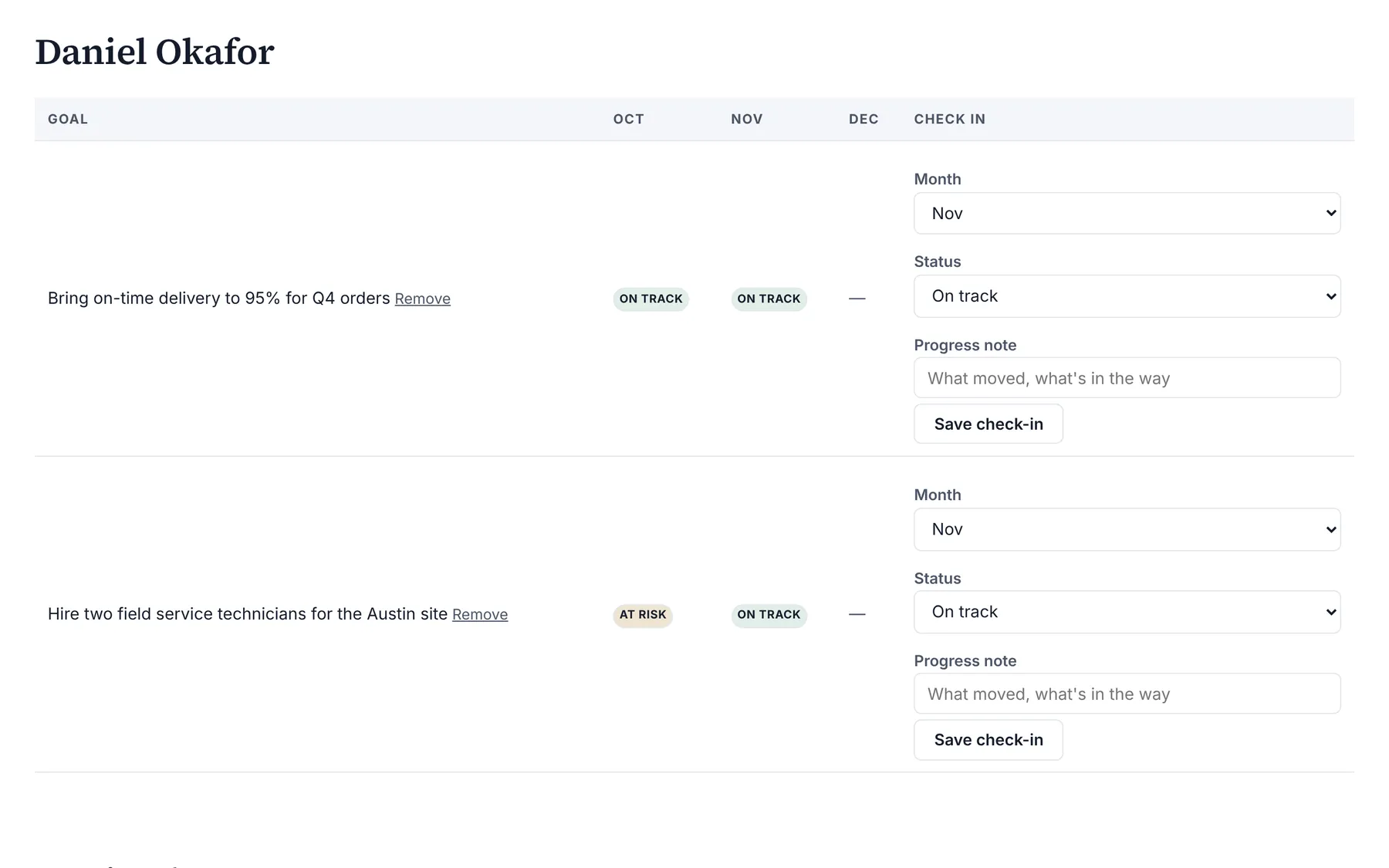
Goals and check-ins is an Organization Viewer tool for a few quarterly goals per person and a monthly manager check-in on each: on track, at risk or done, with a short note.
Goals and check-ins keeps performance conversations short and regular. Each person has a few goals for the quarter, and their manager records a check-in once a month.
It is deliberately light: no weights, no scores and no ratings. Ratings belong in review cycles.
Who is this for?
- ManagersYou’ll use it to replace a long form with a one-line monthly check-in per goal.
- HR teamsYou’ll use it to keep a record of goals and progress to bring into review cycles.
Watch how it works
A 1:12 walkthrough with English captions and a transcript. The full written guide is in the help center.
Transcript (1:12 video, captions in English)
- How to: set goals and monthly check-ins
- WHAT IT'S FOR: Up to 5 goals a quarter, and a monthly check-in on each
- What you need first. A work email on each person. Owners and admins can add goals for anyone
- STEP 1: Open Goals and choose the quarter. Use the arrows
- STEP 2: Type the goal, then select Add goal. Admins choose the Person first
- STEP 3: Pick the Month and Status, write a Progress note. On track, At risk or Done
- STEP 4: Select Save check-in. Keep ratings for the review cycle
- THE SCIENCE: Specific, slightly hard goals. Tend to lead to better work than "do your best"
- Summary. Up to 5 goals a quarter. A monthly check-in on each. On track, At risk or Done
- Full guide: blisspointanalytics.com/help/goals-and-check-ins
What it does
- Up to 5 goals per person per quarter, written by the person or anyone above them on the org chart.
- A monthly check-in on each goal from the manager: On track, At risk or Done, with a progress note.
- Each person sees their own goals; managers see everyone below them; owners and admins see everyone.
What it costs: Included on every Organization Viewer plan, including Free for up to 50 people. Paid plans start at $300 a month for 51 to 250 people. See pricing.
How it works, step by step
- Open Goals in your company and pick the quarter.
- Add one goal in a sentence that says what done looks like.
- Once a month, the manager saves a check-in on each goal.
Feature details
Why it works this way
- Goal-setting research in I-O psychology finds that specific, challenging goals usually lead to better performance than vague ones such as "do your best", so each goal is one concrete sentence.
- Frequent short check-ins surface problems while they can still be fixed, so a status takes one click.
Questions
Who can write a check-in?
The person's manager, anyone above them on the org chart, or an owner or admin. The person adds goals but doesn't check in on their own.
How many goals can a person have?
Up to 5 a quarter.
Does it rate people?
No. Check-ins are a status and a note. Ratings are part of review cycles.
Learn more
Help articles
Related consulting
Related features
- Pay transparency tracker
- AI hiring tool inventory
- Manager and 360 surveys
- Headcount budget planner
- Directory sync and chat alerts
- Attrition analytics
- Pay equity analysis
- Hiring funnel analytics
- Engagement survey analysis
- AI hiring bias audit calculations
- Booking and review requests
- Structured interview scorecards
- Job analysis wizard
- Onboarding plans
- Adverse-impact checker
- Requisitions
- Offer and pay-range check
- Review cycles
- 9-box calibration
- Team health dashboard
- Workforce analytics tools
Start with the sample, or with your own org
Sign-in is a one-time email link, with no password and no credit card. Load the fictional sample company to see every feature working before you enter real data.