
Manager effectiveness and 360 feedback surveys
Manager and 360 surveys are an Organization Viewer tool that picks the raters from your live org chart and reports their answers only in groups, so no one sees an individual response.
A manager effectiveness survey asks each chosen manager's direct reports how that manager is doing. A 360 survey asks the person themselves, their manager, their peers and their direct reports. Organization Viewer picks the raters from your live org chart and builds each report without exposing any one rater.
Peers and direct reports are shown only as groups of 5 or more. No one, including owners and admins, can see an individual response.
Who is this for?
- HR and people teamsYou’ll use it to run upward feedback on managers without building rater lists by hand.
- Leaders developing managersYou’ll use it to compare each manager's results by area with the company average and the last cycle.
- Smaller teamsYou’ll use it to get manager feedback where groups too small to stay anonymous are hidden, not shown.
What it does
- Asks the same 12 statements in 6 areas (clarity, feedback, support, fairness, development, communication), answered from Strongly disagree to Strongly agree, and two short written questions.
- Picks raters from the org chart: direct reports for a manager survey; self, manager, peers (everyone else with the same manager) and direct reports for a 360.
- Sends each rater their own link by email; a link works once.
- Reminds only the people who haven't answered.
- Repeats every 6 or 12 months if you choose, and shows the change since a person's previous cycle.
What it costs: Included on every Organization Viewer plan, including Free for up to 50 people. Paid plans start at $300 a month for 51 to 250 people. See pricing.
How it works, step by step
- Open Manager and 360, choose the type, the people, how many days it stays open and whether it repeats every 6 or 12 months.
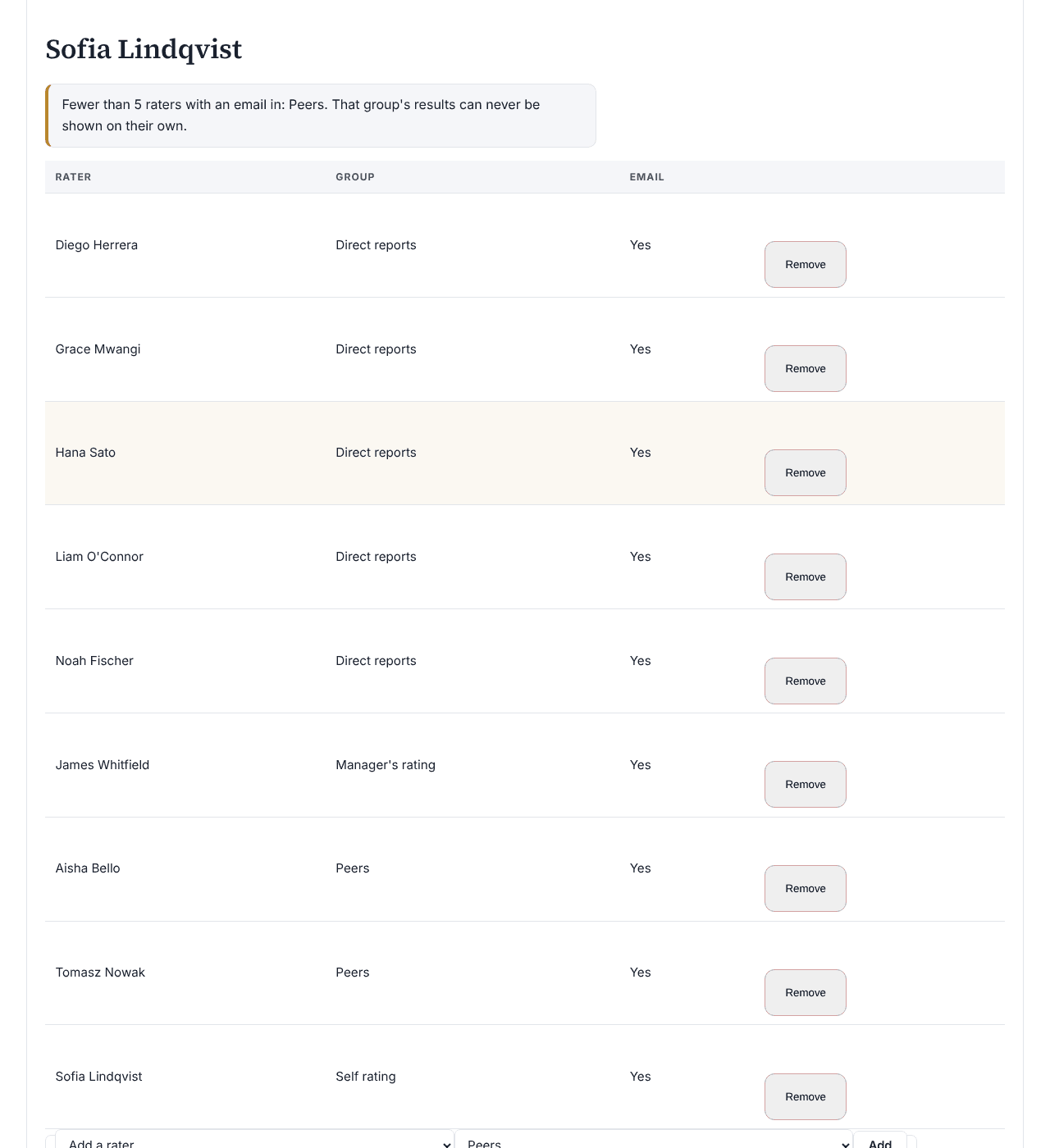
- Check the raters for each person. Before sending, admins can remove anyone, or add someone from the org chart as a peer or direct report.
- Press Send survey. Each rater gets their own link by email.
- Use Remind non-responders while it's open. It closes on its close date, or when you close it.
- Read each person's report once the survey has closed, and press Release to subject when the person should see their own.
Feature details
Anonymity rules, exactly as they work
- Peers and direct reports are shown only as groups of 5 or more, the same minimum as pulse surveys.
- If showing one group would let a hidden group be worked out from the combined figure, both are hidden.
- The manager's rating is one person, so it is shown labeled as the manager's rating, not as an anonymous group. The person's own rating is labeled as their self rating.
- Written answers come only from peers and direct reports, only when at least 5 of them answered, mixed together in random order with no name or group. The manager's written answers are not shown.
- Answers are stored without the rater's name, link, time or IP address. No report, page or action returns a single response.
Who sees reports, and when
- Reports appear only once the survey has closed.
- Owners and admins see each person's report: every statement and area by rater group, against the company average and the change since the previous cycle.
- The person sees their own report only after an admin presses Release to subject, and an admin can withdraw it again.
- Sending needs email set up for the app, so links go straight to each person and no one at your company knows whose link is whose.
Questions
Can an admin see who said what?
No. Answers are stored without the rater's name, link, time or IP address, and no one, including owners and admins, can see an individual response.
What happens when a team is small?
A group of peers or direct reports with fewer than 5 responses is hidden. If showing another group would let the hidden one be worked out, that is hidden too.
Is the manager's rating anonymous?
No. It is one person, so the report labels it as the manager's rating. The same goes for the person's own self rating.
When does a person see their own report?
Only after the survey has closed and an admin presses Release to subject. An admin can withdraw it again.
Learn more
Help articles
Related consulting
Related features
- Pay transparency tracker
- AI hiring tool inventory
- Headcount budget planner
- Directory sync and chat alerts
- Attrition analytics
- Pay equity analysis
- Hiring funnel analytics
- Engagement survey analysis
- AI hiring bias audit calculations
- Booking and review requests
- Structured interview scorecards
- Job analysis wizard
- Onboarding plans
- Adverse-impact checker
- Requisitions
- Offer and pay-range check
- Goals and check-ins
- Review cycles
- 9-box calibration
- Team health dashboard
- Workforce analytics tools
Start with the sample, or with your own org
Sign-in is a one-time email link, with no password and no credit card. Load the fictional sample company to see every feature working before you enter real data.