
30/60/90-day onboarding plans
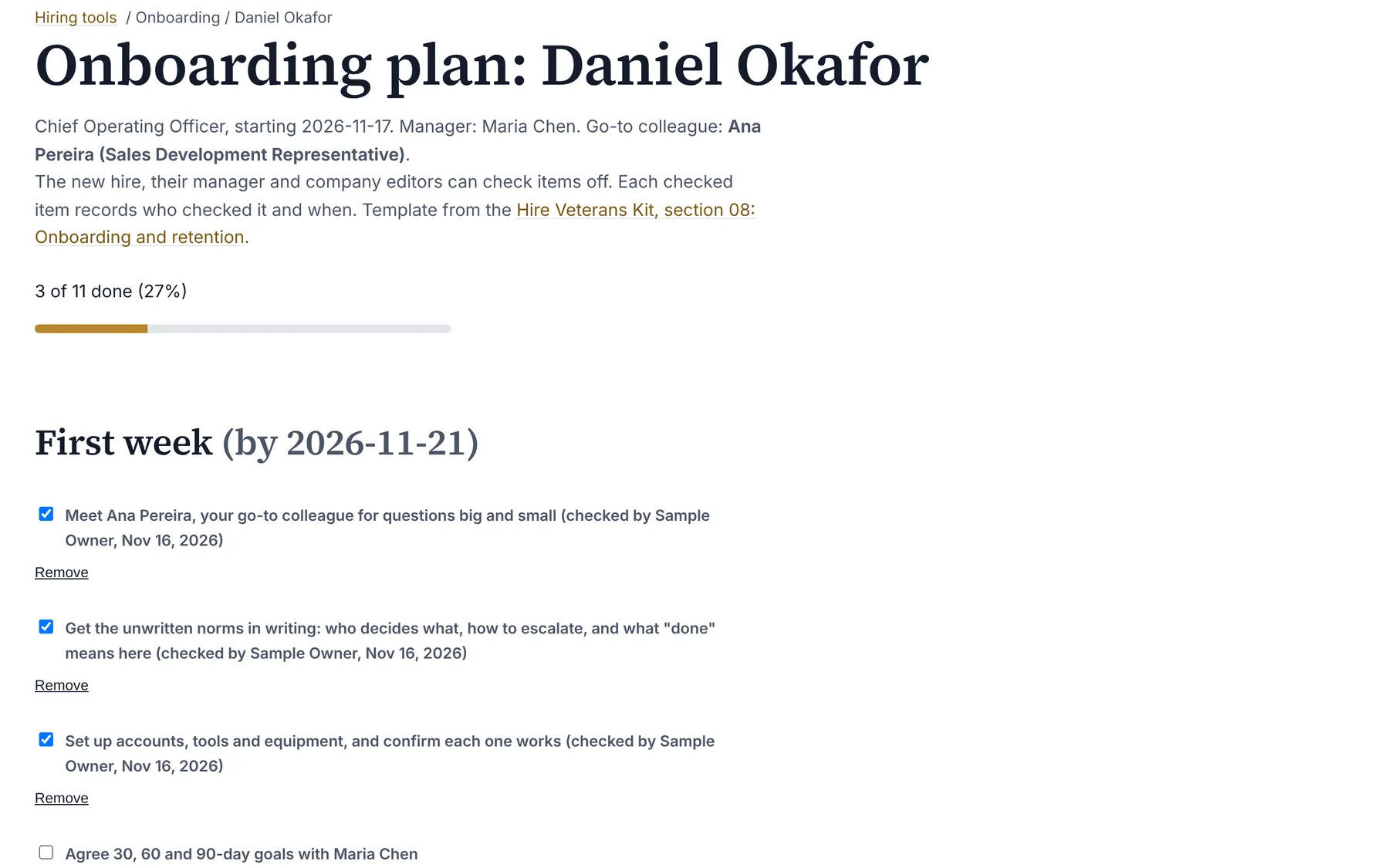
Onboarding plans are an Organization Viewer tool that builds a new hire's first-week tasks and 30, 60 and 90-day goals from a template, names a go-to colleague from the org chart, and lets the new hire and manager check progress off.
Most early friction for a new hire is ambiguity, not skill: who to ask, how decisions get made, what good work looks like.
Organization Viewer's onboarding plans start from the first-90-days guidance in the free Hire Veterans Kit: one named go-to colleague, the unwritten norms written down, and clear 30, 60 and 90-day goals with a check-in at each. It suits any new hire.
Who is this for?
- ManagersYou’ll use it to give every new starter a ready plan, with check-ins already on the calendar.
- New hiresYou’ll use it to see in one place what's expected of you and who to ask.
- Employers hiring veteransYou’ll use it to onboard with a template that follows the Hire Veterans Kit's guidance.
Watch how it works
A 1:21 walkthrough with English captions and a transcript. The full written guide is in the help center.
Transcript (1:21 video, captions in English)
- How to: create an onboarding plan
- WHAT IT'S FOR: A 30/60/90-day plan for a new hire, with a go-to colleague
- What you need first. The new hire on the org chart. Filling a requisition adds them. Editor, admin or owner access
- STEP 1: Choose the New hire, a Go-to colleague and a Start date. Under 3. Onboarding plans on the Hiring tools page
- STEP 2: Select Create plan from template. First week, then by day 30, 60 and 90
- STEP 3: Tick items as they're done. Each tick records who and when
- STEP 4: Add your own items. Type in Add a goal or task, then select Add
- STEP 5: Follow progress to day 90. Each part has its own due date
- WHY A GO-TO COLLEAGUE: Someone outside the reporting line. For the questions a new hire wouldn't ask their manager
- Summary. New hire, go-to colleague, start date. Create plan from template. Tick items off as they're done
- Full guide: blisspointanalytics.com/help/onboarding-plans
What it does
- Creates the plan from a template: first-week tasks and goals for day 30, 60 and 90, each with its due date from the start date.
- Names a go-to colleague picked from the org chart, and the new hire's manager from the reporting line.
- The new hire, their manager and editors can check items off and add goals; each checked item records who checked it and when.
- Shows progress for every plan on one page.
What it costs: Included on every Organization Viewer plan, including Free for up to 50 people. Paid plans start at $300 a month for 51 to 250 people. See pricing.
How it works, step by step
- Add the new hire to the org chart.
- Open Hiring tools, choose the new hire, a go-to colleague and the start date.
- Edit the goals with the manager in week one.
- Check items off as they're done, and review at 30, 60 and 90 days.
Feature details
Questions
Who can check items off?
The new hire and their manager, matched to their sign-in by the email on the org chart, and company editors, admins and owners.
Should the go-to colleague be the manager?
Usually not. Someone outside the reporting line gets the questions a new hire wouldn't ask their manager.
Can I change the template's goals?
Yes. Add goals to any phase, and editors can remove ones that don't fit.
Learn more
Help articles
Related features
- Pay transparency tracker
- AI hiring tool inventory
- Manager and 360 surveys
- Headcount budget planner
- Directory sync and chat alerts
- Attrition analytics
- Pay equity analysis
- Hiring funnel analytics
- Engagement survey analysis
- AI hiring bias audit calculations
- Booking and review requests
- Structured interview scorecards
- Job analysis wizard
- Adverse-impact checker
- Requisitions
- Offer and pay-range check
- Goals and check-ins
- Review cycles
- 9-box calibration
- Team health dashboard
- Workforce analytics tools
Start with the sample, or with your own org
Sign-in is a one-time email link, with no password and no credit card. Load the fictional sample company to see every feature working before you enter real data.